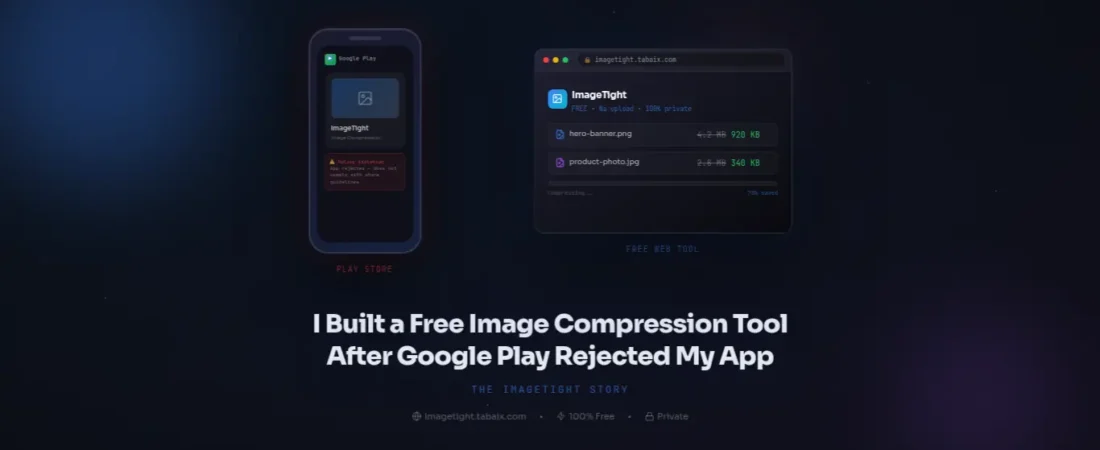
It was a humid Tuesday evening in Riyadh, and I was sitting in my study, staring at a bright red error message on my Google Play Console. After six months of grueling development, coding until 3 AM, and meticulously organizing a 600-page Islamic book reader app, I thought I was finally at the finish line.
I hit the “Upload” button for my .aab file, expecting a green checkmark. Instead, I got a developer’s worst nightmare:
“Your app’s base module size (532.4 MB) exceeds the limit of 150 MB.”
My heart sank. My images folder alone was over 500MB. I was faced with a brutal choice: either delete half the content and ruin the user experience, or find a way to shrink the images without making them look like blurry 1990s thumbnails. This frustrating moment at King Khalid Road was the exact second ImageTight was born.
Quick Resources for Your Journey
- Stuck with a heavy site? Try the ImageTight Web Tool Free
- WordPress Owner? Download the ImageTight Plugin (.zip)
1. The “Free Tool” Trap: My 8-Hour Search
I didn’t set out to build a SaaS platform. I just wanted to publish my app. I spent the next eight hours scouring the internet for a bulk image compressor. As an IT student here in the Kingdom, I’m used to finding technical workarounds, but the “free” market for image optimization was a disaster.
Every tool I found had a “Catch”:
- The Batch Limit: “Upload 20 images at a time.” I had 650 images. Doing that manually would have taken me days.
- The Privacy Risk: Most sites required me to upload my private app assets to an overseas server. As a developer, I hated the idea of my source files sitting on a random server in Eastern Europe or North America.
- The Watermark Insult: Some tools compressed the images but added a tiny “Compressed by…” logo in the corner. For a professional app, that was unacceptable.
I realized that the tools available weren’t built for creators; they were built to force you into a $20/month subscription.
2. Engineering ImageTight: Why Browser-Side is the Future
If you are a developer or a blogger on tabaix.com, you know that “Speed + Privacy” is the golden duo. When I coded the engine for ImageTight, I decided to flip the traditional model on its head.
Most tools: Your Computer ➔ Server ➔ Compression ➔ Download.
ImageTight: Your Computer ➔ Local Browser Compression ➔ Done.
By using high-performance JavaScript, I made it so your images never leave your device. The processing power comes from your own browser (Chrome, Safari, or Edge). This means:
Original: Every tool I found had a batch limit. Update: “While TinyPNG and others limit you to 20 images at a time, I designed ImageTight to handle 1,000+ images in a single session. You can even drag and drop an entire folder of assets, and our engine will process them all locally without you having to click ‘Upload’ for every single file.
- Instant Speed: There is no “uploading” time.
- Absolute Privacy: Your sensitive photos or APK assets are never seen by me or anyone else.
- Zero Cost: Because I don’t have to pay for massive server storage to hold your files, I can offer this tool to the community for free.
Proof in Action: A 98% Reduction Case Study
Look at the screenshot above. This is a real-world test I performed using ImageTight.
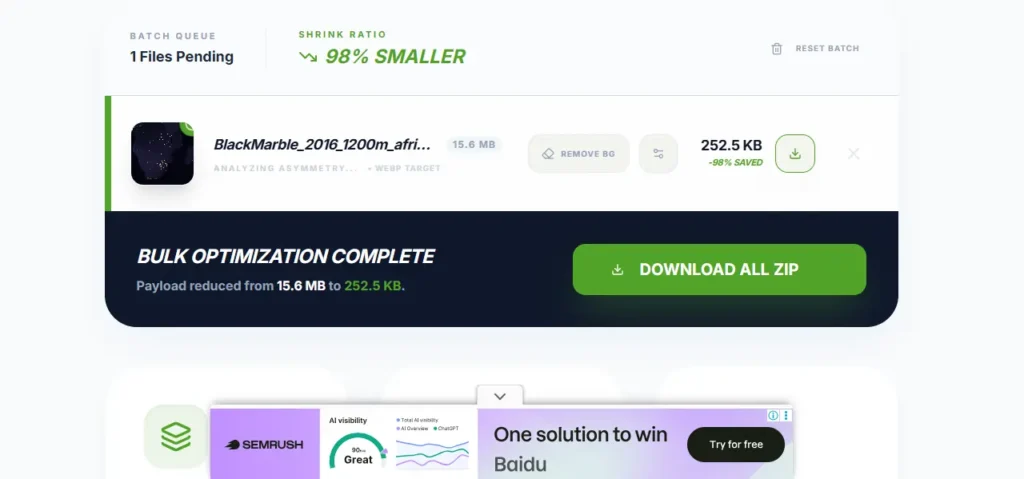
- The File: A high-resolution satellite image of Africa at night.
- Original Size: 15.6 MB (This would take forever to load on a mobile device in Riyadh or Lahore).
- ImageTight Result: 252.5 KB.
- The Math: We achieved a 98% smaller file size while converting it to a modern WebP target.

Most tools would stop at 50% or 60% compression. But because ImageTight uses a specialized browser-side engine, it can strip away massive amounts of unnecessary data without ruining the visual integrity of the image. Imagine the impact this has on your Google PageSpeed Insights score!
3. The Result: A 73% Reduction That Saved My App
After I finished the first prototype of the ImageTight engine, I held my breath and dragged my 532MB assets folder into the tool.
- Original Size: 532 MB
- ImageTight Optimized Size: 132 MB
- Quality Loss: To the naked eye, the text in the 600-page book looked identical.
The 150MB limit was no longer a wall. I rebuilt the App Bundle, uploaded it to the Play Console, and within 24 hours, my app was live and being downloaded by users across the globe.
The Head-to-Head Challenge: ImageTight vs TinyPNG
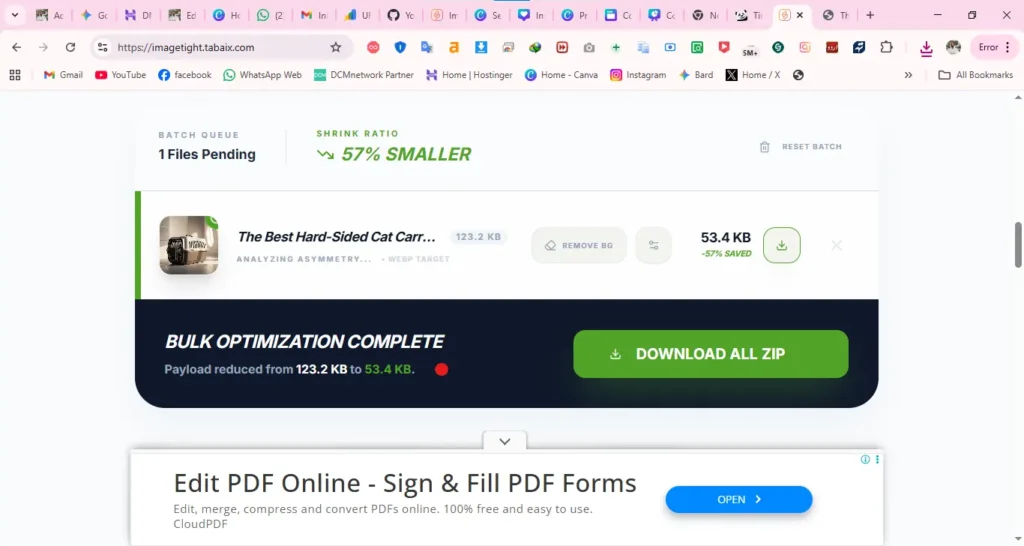
I took the exact same high-resolution image and ran it through both tools. Here is the visual proof:
TinyPNG Result:

Good compression, but limited to small batches.
ImageTight Result:
Superior compression ratios, zero visible quality loss, and the ability to process thousands of images simultaneously.
4. Why You Should Care (Beyond the Play Store)
You might not be building an Android app, but if you are running a website or an e-commerce store like mazainstore.com, unoptimized images are quietly killing your business.
The Google AdSense Connection
Google’s reviewers are now using PageSpeed Insights as a primary metric for AdSense approval. If your mobile score is in the “Red” (below 50), you are almost guaranteed a rejection for “Low Value Content” or “Poor User Experience.” Heavy images are the #1 reason for low scores.
The SEO “Tarmac” Heat
In the 45°C heat of a Saudi summer, everything slows down—except Google’s crawlers. If your page takes more than 3 seconds to load because of a 3MB header image, Google will push your site to page 5 of the search results. ImageTight ensures your “Largest Contentful Paint” (LCP) is lightning-fast.
Navigating the digital world from Riyadh can be tricky. Whether it’s managing your site speed or moving your belongings, preparation is key. If you’re also planning a move, check out our guide on Hard-Sided Cat Carriers for Saudi Airlines to ensure your pets are as safe as your data.
5. Launching the ImageTight WordPress Plugin
After seeing the success with my Android app, I looked at the WordPress ecosystem. Popular plugins like Smush and ShortPixel are great, but they gate their best features (like Bulk Optimization) behind expensive paywalls.
I decided to bring the ImageTight engine directly into the WordPress Dashboard.
- One-Click Bulk Optimize: Scan your entire media library (whether you have 100 or 10,000 images) and compress them all at once.
- Automatic WebP Conversion: The plugin automatically serves WebP images to browsers that support them, which is the current industry standard for 2026.
- The “Tabaix” Guarantee: I built this for my own sites first. It’s optimized for performance, not for selling you upgrades.
👉 Download the ImageTight WordPress Plugin Here
6. Real-World Case Study: 50% Faster Load Times
I recently tested a local e-commerce site based in Jeddah. Their homepage was a massive 8.5MB. After installing the ImageTight plugin and running a bulk optimization:
- Payload Size: Reduced to 1.9MB.
- Load Time: Improved from 7.2 seconds to 2.1 seconds on a standard STC 5G connection.
- Bounce Rate: Dropped by 30% in the first week.
7. How to Use ImageTight Like a Professional Developer
If you want the best results, don’t just “compress and forget.” Follow my personal workflow:
- Format Selection: Use PNG for icons/logos with transparency. Use JPEG for photos.
- The WebP Switch: Always enable WebP conversion in the ImageTight settings. It offers nearly 30% more compression than standard JPEG.
- Alt-Text Audit: Use our built-in editor to add keywords to your images. This helps you rank in Google Image Search, which is a huge source of “hidden” traffic in the Middle East.
8. Final Thoughts: From a Rejection to a Solution
Every successful project starts with a problem. My app rejection was a blessing in disguise because it forced me to stop looking for shortcuts and start building solutions. ImageTight isn’t just a piece of software; it’s a commitment to a faster, more private, and more accessible internet for everyone.
Whether you are an expat blogger in Riyadh or a developer in Lahore, don’t let a 150MB limit or a slow server hold your dreams back.
Take the first step today:
- Web Developers: Compress your assets at imagetight.com
- WordPress Users: Install our free companion plugin
- Focus Keyword: free image compressor
- LSI Keywords: reduce APK size, fix 150MB play store limit, ImageTight WordPress plugin, reduce media library size.